Ship
Write the release note in the changelog editor, or start it from a template. This is the only step you were already doing.
For SaaS teams that ship every week
Changelog, in-app announcements, feature requests, roadmap and help centre in one workspace, on your own domain. Monitor watches checkout, signup or any multi-step process and alerts Slack the moment a step fails. One script tag installs the widget.
CRPTONruns their public changelog on Releaseo. Be the next name here.
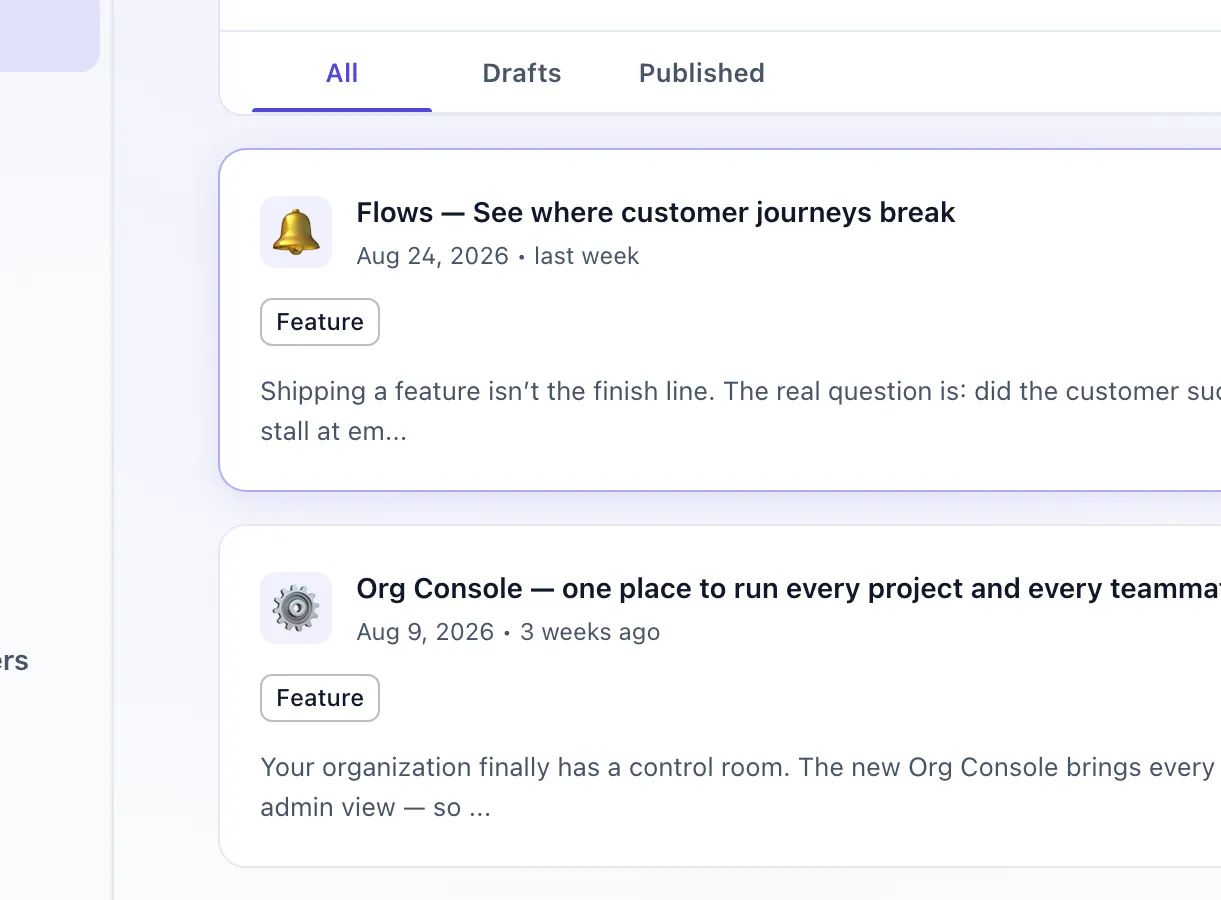
Every one of these is live.Published from here to the widget, the public site and Slack.
Not only on your own site.
The situation
Three scenes from a normal quarter. You will recognise at least two of them.
It lives in a Notion page, a Slack thread and a tag in your repo. Three places, no audience.
Someone asked for it in March. You built it in June. They never found out, so they never came back.
A public roadmap that has not moved in two quarters is worse than no roadmap.
None of this is a writing problem.
It is a distribution problem — and it has a shape.
The loop
You write the release once. Releaseo fans it out — then carries the votes, requests and replies back to the same place you started.
Write the release note in the changelog editor, or start it from a template. This is the only step you were already doing.
One publish fans out to the widget, your in-app launches, your public site, Slack, Discord and email.
The right users get told — targeted by segment, not blasted at everyone on your list.
They vote, comment and file the next request. That queue feeds the roadmap, and stage 01 starts over.
Roadmap
Not a diagram of a roadmap. This is the board your team drags cards across, published to your users the moment you say it can be.
The public copy of this board is the same board, minus every item you kept internal.
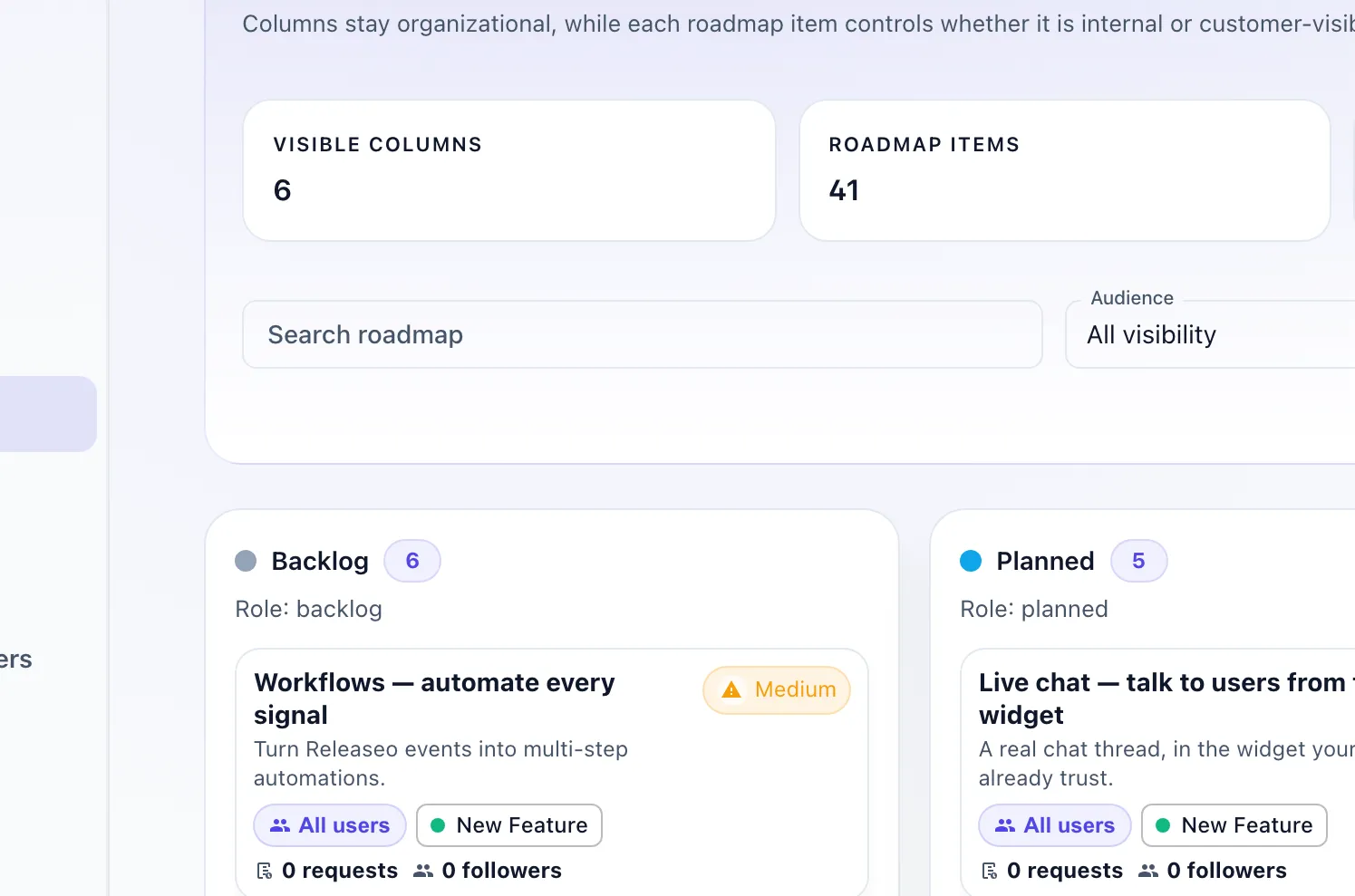
6 columns · 41 items · 14 releasedCounted off the board. Nothing here was typed in for the screenshot.
Requests and followersOn the card, not in a spreadsheet — so you still know who asked when it finally ships.
The follow-up
Publish the release, and Releaseo tells the people who asked for it — the voters and followers already attached to that roadmap item.
No list of names kept in a spreadsheet. No “did anyone go back and tell the person who asked for this?” four days after the release went out.
In-app through the widget. By email through your own SMTP, connected once in settings.
A feature request in your board picks up its twelfth vote. Nobody had to chase it, and you didn’t have to write the name down anywhere.
You drag the roadmap item into Released and publish the note. That is the entire action — the same two things you already do.
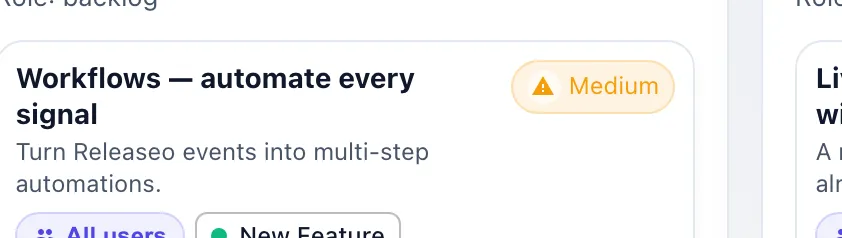
The people attached to that item are told — inside your product in the widget, and by email once you have connected your own SMTP. The request they filed months ago comes back to them finished.
Who sees it
Every in-app launch carries an audience, and you build it from recursive AND / OR / NOT conditions — over who the user is, the plan they are on, what they have done in your product, and what they have done inside Releaseo itself.
Announcements are targeted, not blasted.
A corner card. For the improvement most people can just skim.
Centre of the screen. For the change they have to act on.
A bar across the top. For the migration nobody can miss.
Save a segment once and point any launch at it — or write the condition inline, for a single announcement.
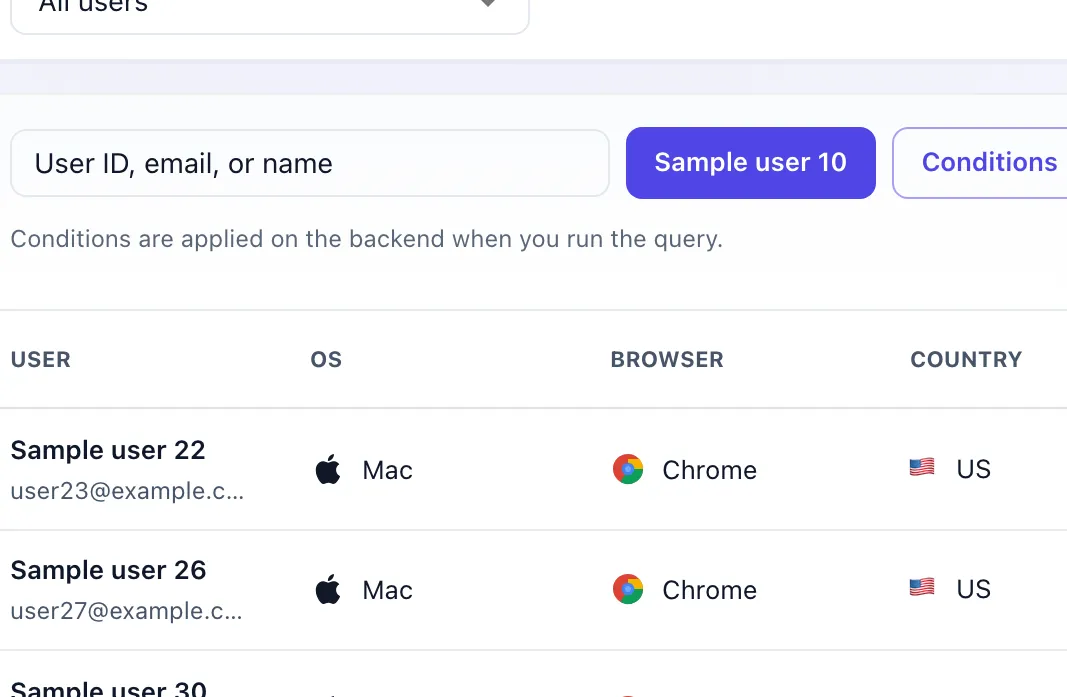
Conditions run on the serverThe audience is computed when the query runs — never guessed in the browser.
nest and / or / not as deep as the audience needs
Recently shipped
Everything below shipped in the last few months. It is the same feed Releaseo publishes for its own users.
Which makes this list two things at once: the proof that we ship, and the product doing its job in public.
main.releaseo.io — a hosted public site, published from the same editor you would use.
Install
No build step, no npm, no migration window. Paste it into your layout and the widget is live in your product — changelog, in-app launches and feature requests included.
<script src="https://cdn.releaseo.io/sdk/v0/loader.js"></script><script> window.releaseo.init({ publishKey: "pk_live_..." })</script>2,530
bytes, gzipped
That is the loader in full — the whole of what your page downloads from us.
0
cookies set
Releaseo writes no cookie on your users' browsers. Nothing to add to a banner.
0 KB
added to your bundle
The widget UI runs in an iframe, so none of it is ever compiled into your app.
Proof, not logos
We are early — one customer early. So instead of a wall of logos we have not earned, here are six things about Releaseo you can check for yourself.
No case studies. No star ratings. No quote written by us and put in someone else’s mouth.
Your customers’ messages
Every contact-inbox body is encrypted in the database, with key versioning and an audit trail. Nobody browsing the table can read what your customers wrote to you — including us.
Contact inbox
The contact inbox is the one place your users hand you free text, so it is the one place that gets encryption at rest by default.
GDPR
Drops the identity, the anonymous id, the queued events and the widget’s own storage.
window.releaseo.purgeAll()
Hosting
EUorUS
You choose which region your workspace’s data lives in.
Billing
The money-back guarantee covers your first paid subscription: ask within 30 days of that first charge and you get it back. Cancelling stops the next renewal from your billing page.
Read the refund policy before you take our word for any of that.
Customers
CRPTON runs their public changelog on Releaseo. That is the whole list. When it is longer this cell gets longer, and not a day before.
We did not ask them for a quote, so there is not one here.
Pricing
The loop starts on Free. Move up when you need Releaseo to carry a shipped request back to the people who asked for it — not just publish another note.
Publish updates, show them in-app, and collect votes, requests and replies in one place.
When the work ships, the connected GitHub + SMTP path can tell the people attached to that roadmap item.
For your first release.
$0/mo
free forever · no card
Start freeWhere everyone starts
For a team shipping every week.
$19/mo
billed monthly
Choose StarterEverything in Free, plus
Most popular
Where most teams land, and stay.
$49/mo
billed monthly
Choose ProEverything in Starter, plus
For several products under one roof.
$99/mo
billed monthly
Choose GrowthEverything in Pro, plus
Every first paid subscription comes with a 30-day money-back guarantee — if it does not earn its place in your release week, ask and we refund it.Read the refund policy.
Free plan, one script tag, and a loop that finishes itself. CRPTON already runs on it — join them.